iVeri Lite Process Flow
iVeri Lite requires very little integration and is aimed at Internet merchants who have limited technical resources. Lite transactions are processed on a web site and secured via an SSL certificate without the merchant having to buy SSL since iVeri lite takes care of it on their behalf. Although ideal for websites with small catalogs, iVeri Lite still provides a powerful processing engine.
Process Flow
This diagram illustrates the flow of events of an iVeri Lite transaction:
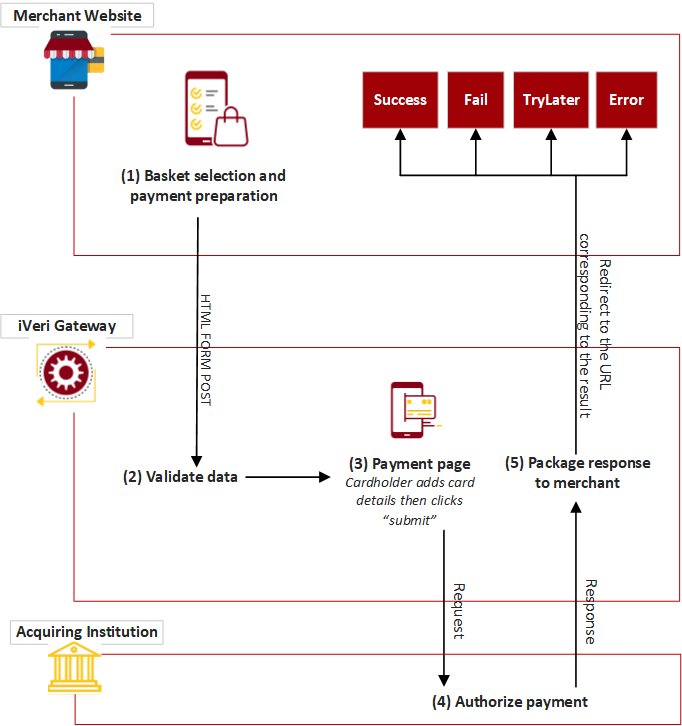
Process Flow Description:
(1) The cardholder is at the point in the purchase process where the basket has already been selected and he is now on the brink of paying for it. The website thus knows the price of the basket, the Invoice Number (the merchant could also have iVeri BackOffice allocate the Invoice number for them by using the “AUTOGENERATE” option) .
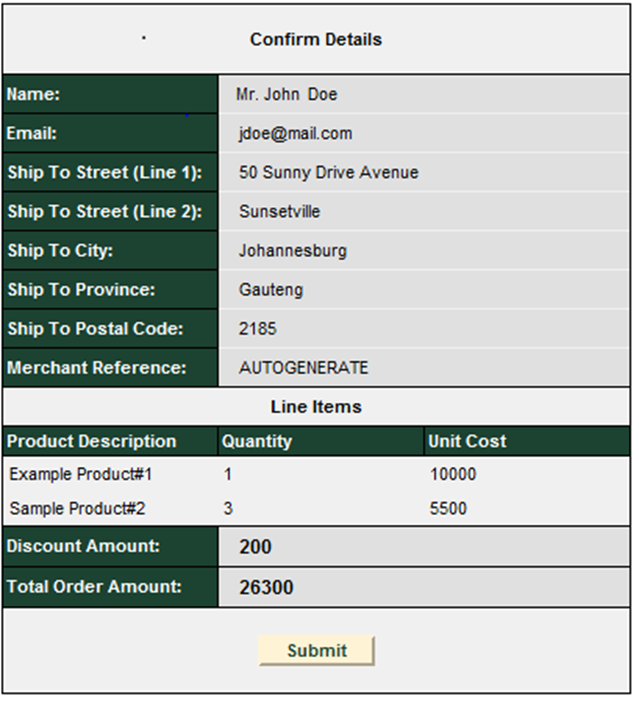
(2) Once the “Submit” button has been clicked, the customer’s captured details are sent to the Gateway verifying that the ApplicationID is valid, validating the variables i.e. purchase amount is an integer and that all required fields have been populated.
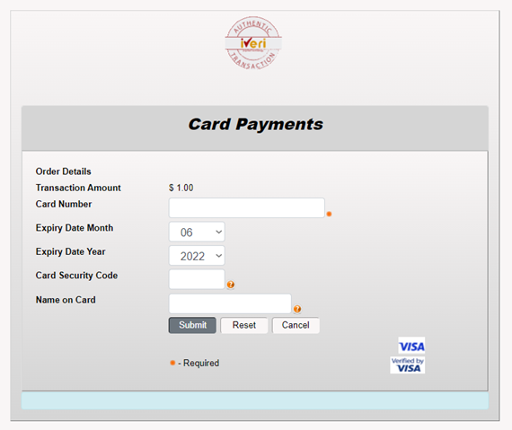
(3) The customer’s card details are captured on a SSL secured website where, after clicking on the Submit button, validation of the entered values (i.e. credit card number, expiry date…) will take place. Once validation has succeeded a “Please wait ......” message is returned to the cardholder while the transaction is in process
Authorization is performed at the respective acquiring financial institution/department who will then interact with the issuing financial institution/department.
(4) The return of an authorization can be either of the following:
successful, failed, system error or please try again later.
A redirect is sent to the cardholder’s browser telling it which Result URL to display.
(5) In the event of a successful/error transaction the cardholder as well as the Merchant can be emailed a statement indicating the successful completion of the transaction. Those transactions can be tracked via the BackOffice.
(6) A success/error page is returned to the cardholder by the merchant to show the transaction type, transaction amount, authorization code, merchant reference and purchase date