DiVert
Create a link. Share it. Get paid.
Get started with iVeri DiVert and discover how easy it is to create and share secure payment links with your customers, giving them a convenient way to pay online.
Getting started with DiVert
Three steps to take before your first payment link goes out. Follow them in order — each one unlocks the next.
Do this before anything else. A transaction request can't be created until the application it belongs to — Test or Live — has been configured.
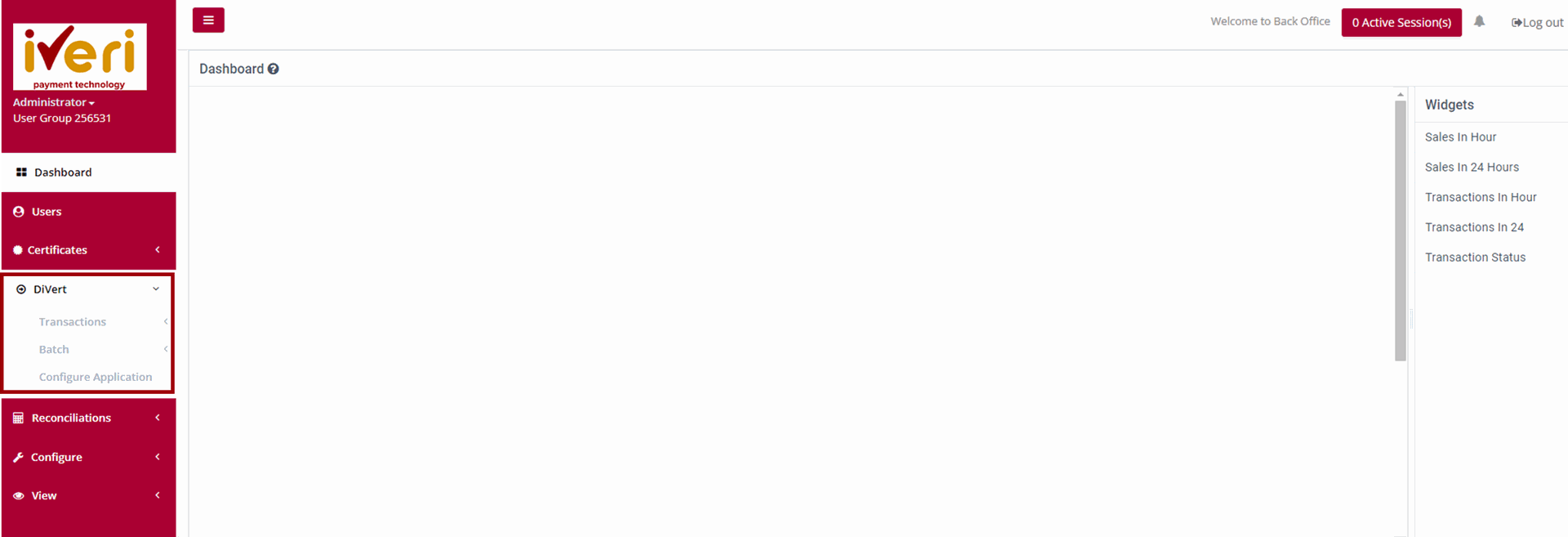
DiVert → Configure Application
1. From the main menu, open DiVert → Configure Application.
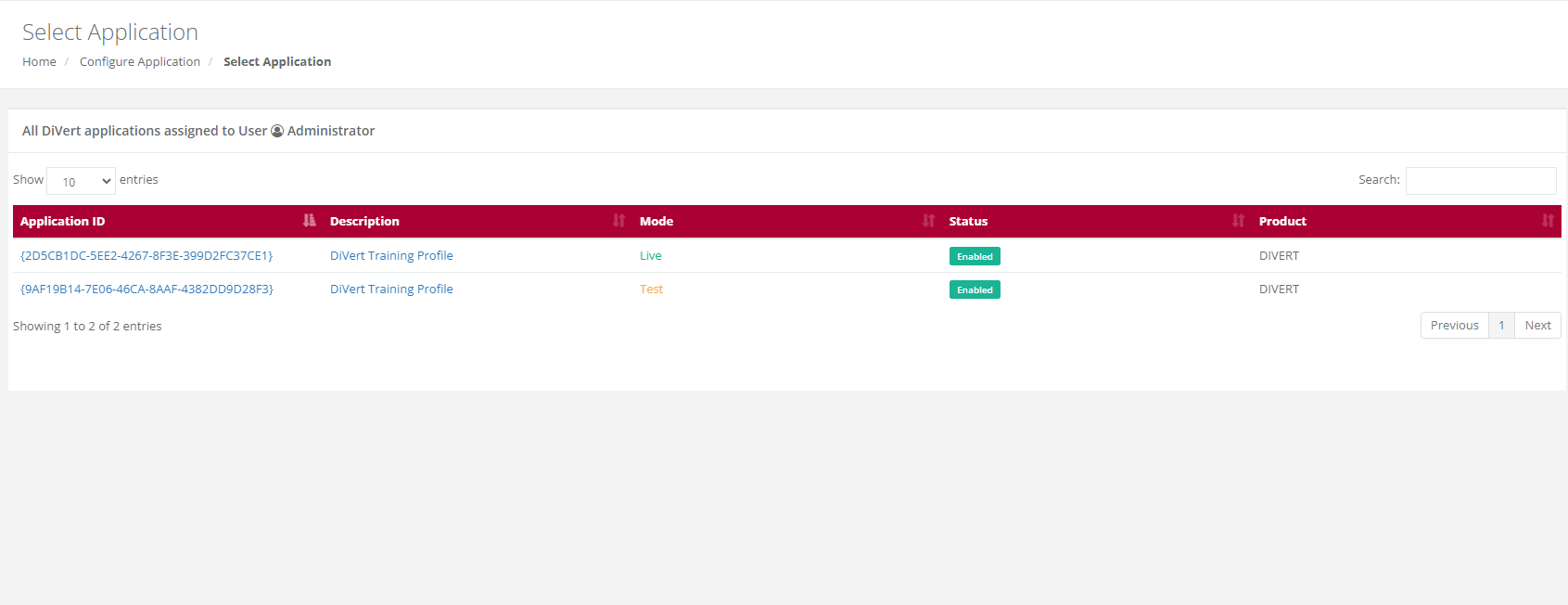
2.Select the application you're setting up — Test or Live.
3. Decide who gets emailed: turn on confirmations to the merchant, the cardholder, or both, and set the send-to / send-from addresses.
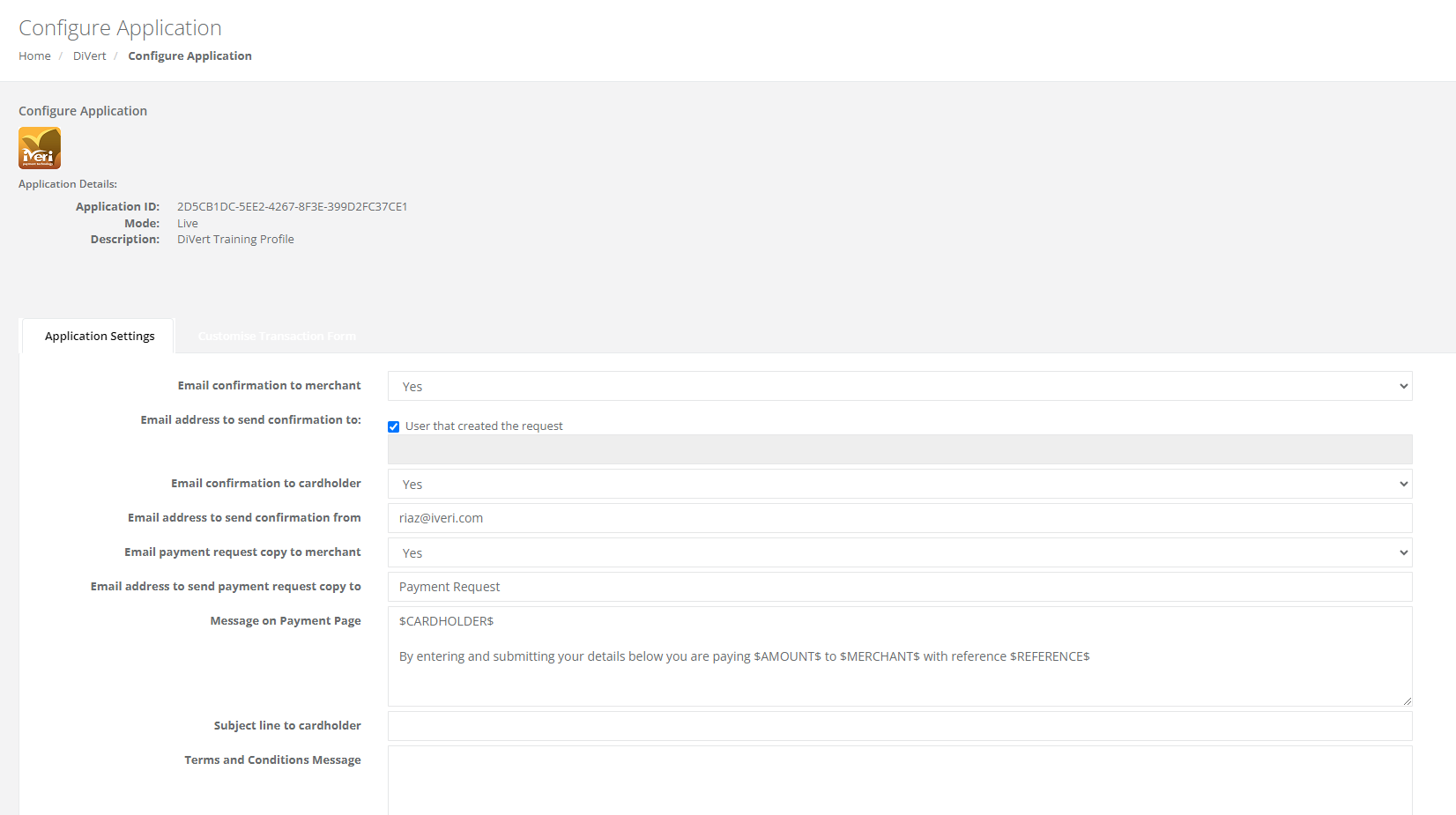
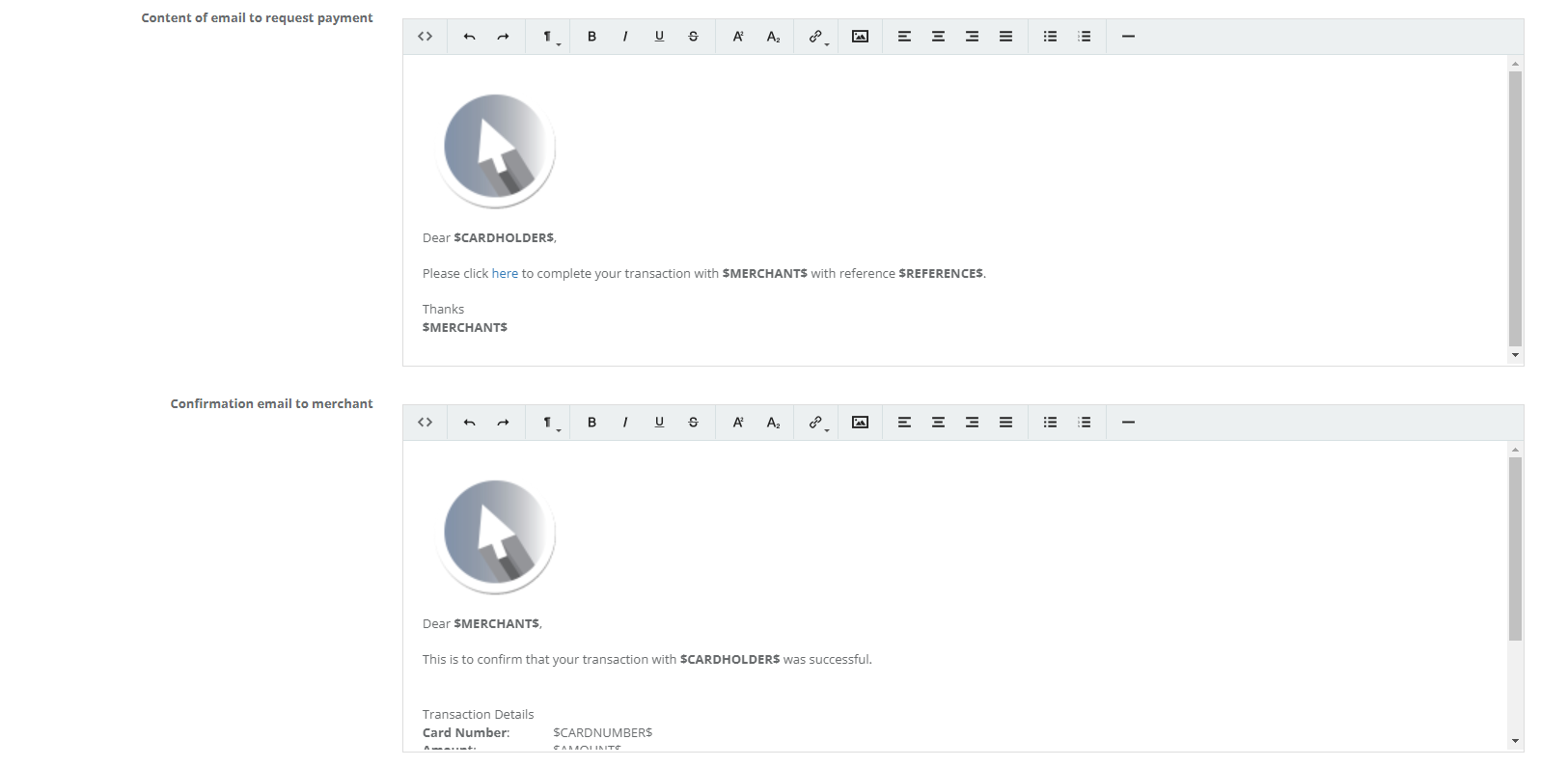
4. Edit the wording shown on the payment page and in the payment request email. Leave anything between $ $ signs untouched — it's filled in automatically per transaction.
5. Add your Terms & Conditions — a link if you have a website, or plain text if you don't.
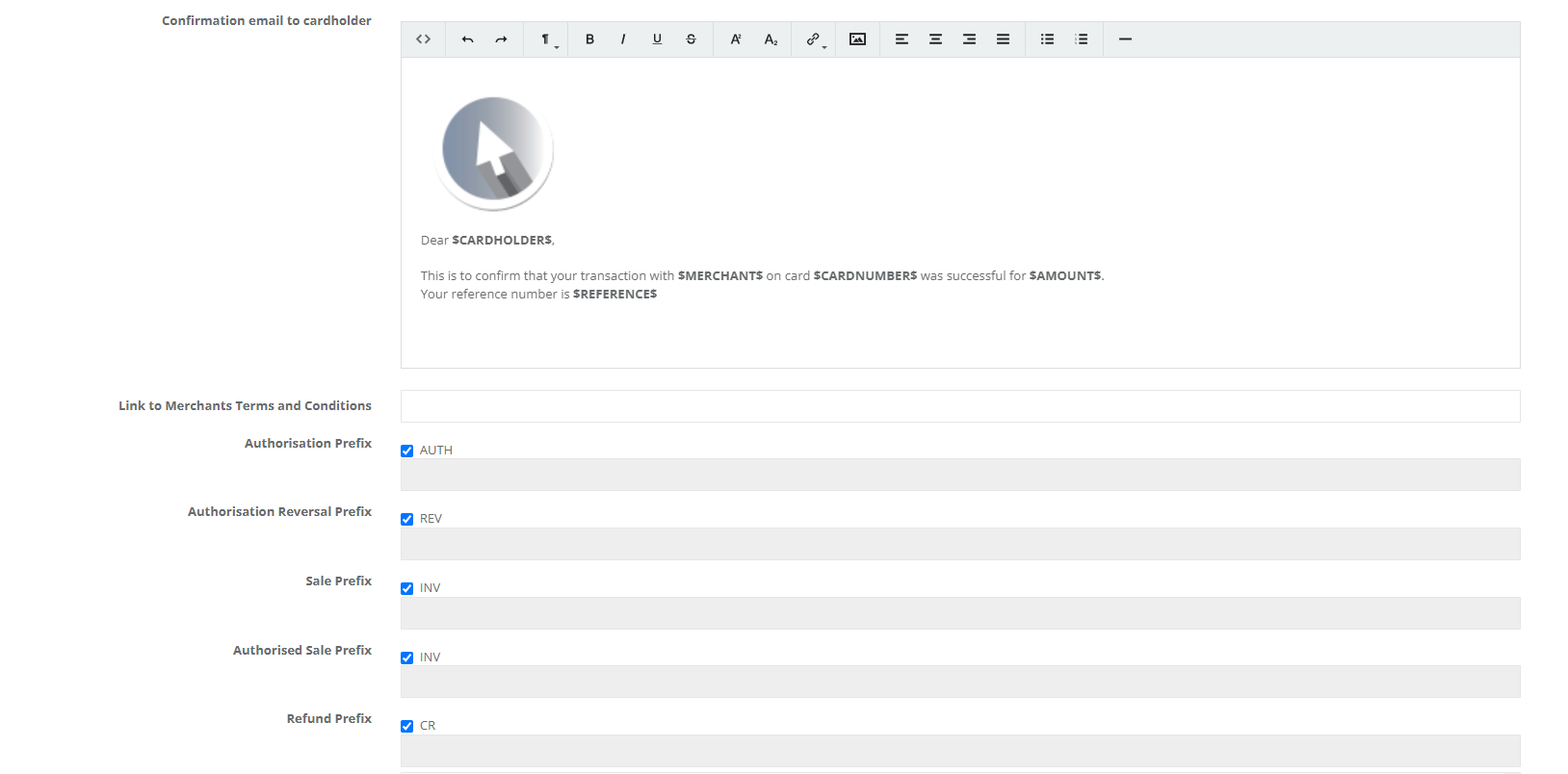
6. Choose which card association logos to display and set a default payment method. Hold down the control tab on your keyboard while selecting the association logos.

7. Click Save Changes.
Why first: this is where email behaviour, page wording, and legal terms live. Skipping it means cardholders see a page you haven't set up yet.
Want to learn more? Watch the detailed video here.
Give the secure payment page — the one your cardholders see — your own branding: logo, colours, and font.
DiVert → Configure Application → select Application ID → Customise Transaction Form
1. From Configure Application, select the Application ID you want to brand.
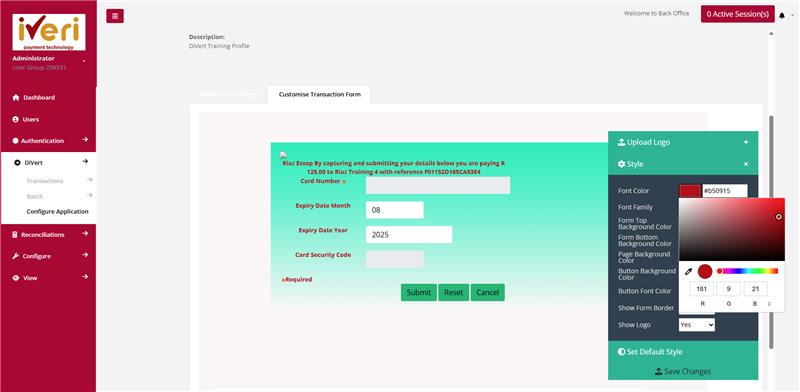
2. Open the Customise Transaction Form tab.
3. Upload your logo — JPEG or PNG, within the size and dimension limits shown on the page.
4. Set the font colour using the colour spectrum, RGB values, or a hex code, then click the colour wheel to save it — this applies to any colour field on the page, including the form and page backgrounds and the button colour.
5. Pick a font family, and choose whether to show a form border and your logo.
6. Preview your changes, then click Save. Use Set Default Style anytime to reset.
Want to learn more? Watch the detailed video here.
Send a secure payment link to a cardholder. This is the request itself — configuration and branding should already be in place.
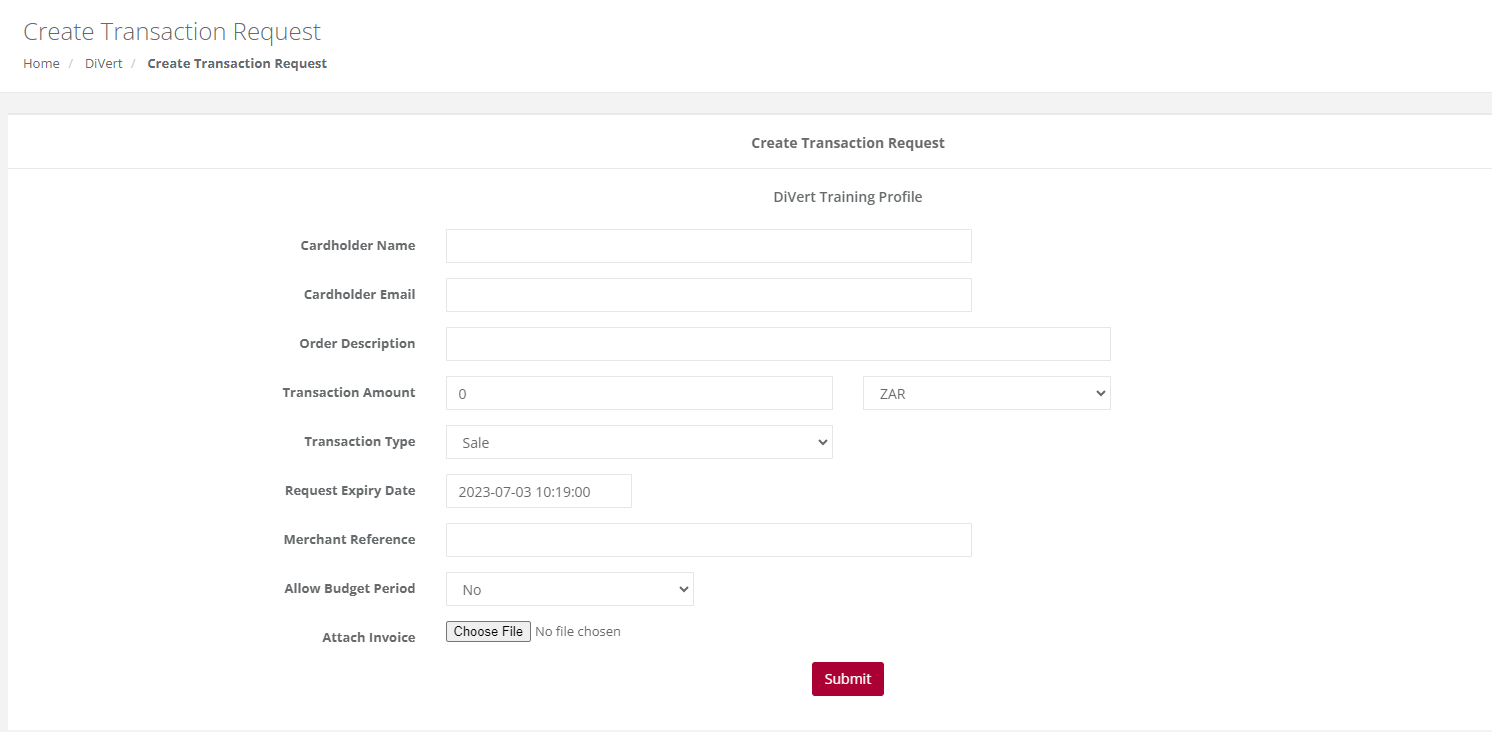
DiVert → Transactions → Create Transaction Request
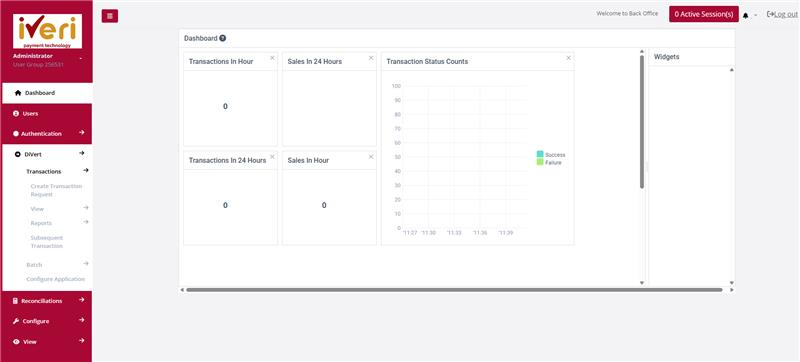
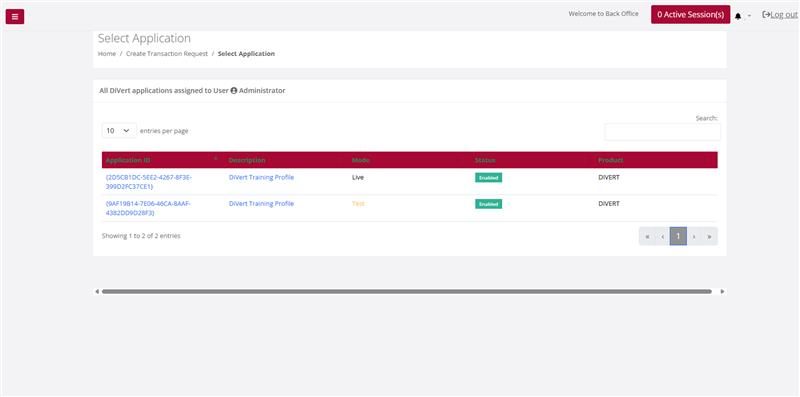
1. Open DiVert → Transactions → Create Transaction Request and choose the Live application ID.
2. Enter the cardholder's name and email — the payment link is sent to this address.
3. Add an optional order description. Note: if filled in, it overrides your default email subject line.
4. Enter the transaction amount (currency is set automatically) and choose Sale or Authorisation.
5. Set a request expiry date and a unique merchant reference — references can't be reused within 6 months.
6. Optionally allow a budget period, or attach a PDF invoice (max 300KB).
7. Click Submit. The cardholder receives the payment link by email, and you'll see an on-screen confirmation.
That's it: once submitted, track the request under DiVert → View (Pending, Expired, Successful) until the cardholder pays.
Want to learn more? Watch the detailed video here.
FAQ
Got Questions About DiVert?
Can't find what you're looking for? Reach out to our support team.
Payment Link / Divert payment-link emails generate many tickets. Before assuming a platform outage:
- Confirm the merchant Application ID is Active (not inactive/suspended).
- Reproduce once and capture the exact failure message (screenshot alone is often not enough).
- If a card payment was attempted, send the standard transaction pack: MID, date/time, amount, card first/last 4, Merchant Reference.
- Ask support to confirm whether a link can be generated from their side for that profile (common verification step in resolved cases).
Refunds against a successful payment-link sale follow the Refunds FAQ (proof / ARN / issuing bank).
Multi-site merchants (hotels, parking, divert) often have multiple MIDs. Check Back Office profile list, device assignment, or the Application ID used by that channel. If unsure, ask support to list active MIDs under your usergroup.
Not every profile can process refunds by default. Some Divert / subsequent-transaction setups must be specifically enabled for refunds (credits).
If refunds fail or the option is missing, ask support to confirm whether your merchant number / profile is enabled for subsequent refund transactions. Provide the merchant number and trading name.
A pre-auth hold is not the same as a settled sale.
- If the pre-auth is authorised but not captured, cancel/release it in your PMS / OPI / payment application where the auth was created. In several hospitality cases, support confirmed this must be done on the merchant system — iVeri cannot always cancel it centrally.
- If the amount was already captured/settled, you need a refund (or partial refund), not a pre-auth cancellation.
When contacting support, state clearly whether the pre-auth was only authorised or already captured, and include merchant number plus reservation/transaction reference.
Hospitality / divert environments often run end-of-day cashup / mark-off against batches. If mark-off fails:
- Confirm all expected transactions appear in the current batch
- Check for duplicate references
- Send MID, site/channel (e.g. Divert), and batch date to support
This is operational settlement hygiene, not a cardholder refund.
Support routinely shares product take-on packs for:
- Batch
- Divert
- Lite
Ask assist@iveri.com for the current take-on process for your product.