Enterprise
Powerful payments built for your business.
Get started with iVeri Enterprise and access the resources you need to integrate, configure and manage a secure, flexible payment solution designed for more advanced payment requirements.
Getting started with Enterprise
Everything you need to log in to BackOffice and set up authentication before your first transaction — whether your integration uses a client certificate or a shared secret.
During integration, generate credentials for whichever method your integration requires. Toggle below to see the process for each.
Client certificate
Identifies your application to the gateway using a managed client certificate, installed in your integration environment.
1. Open manage client certificates, under the authentication tab In BackOffice, navigate to the certificate section for your Application ID.
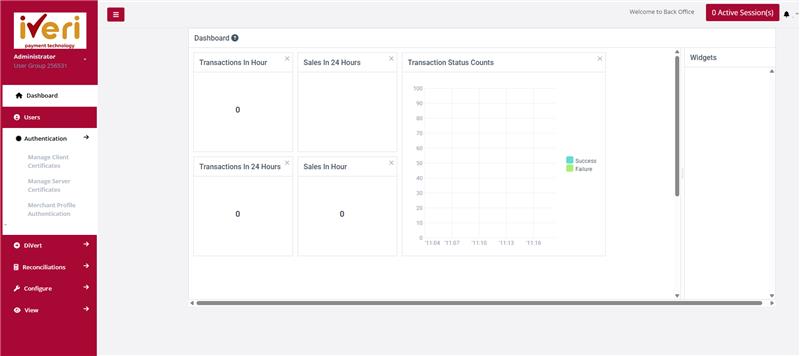
2. Generate the certificate Request a client certificate for the environment you're integrating against — Test or Live.
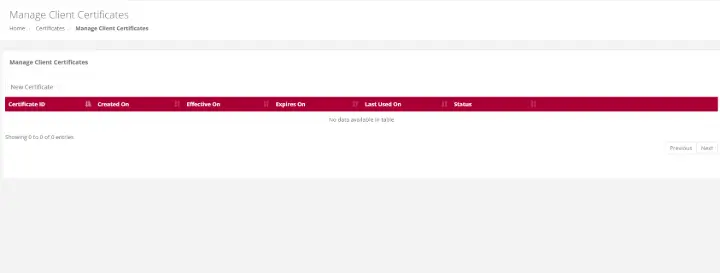
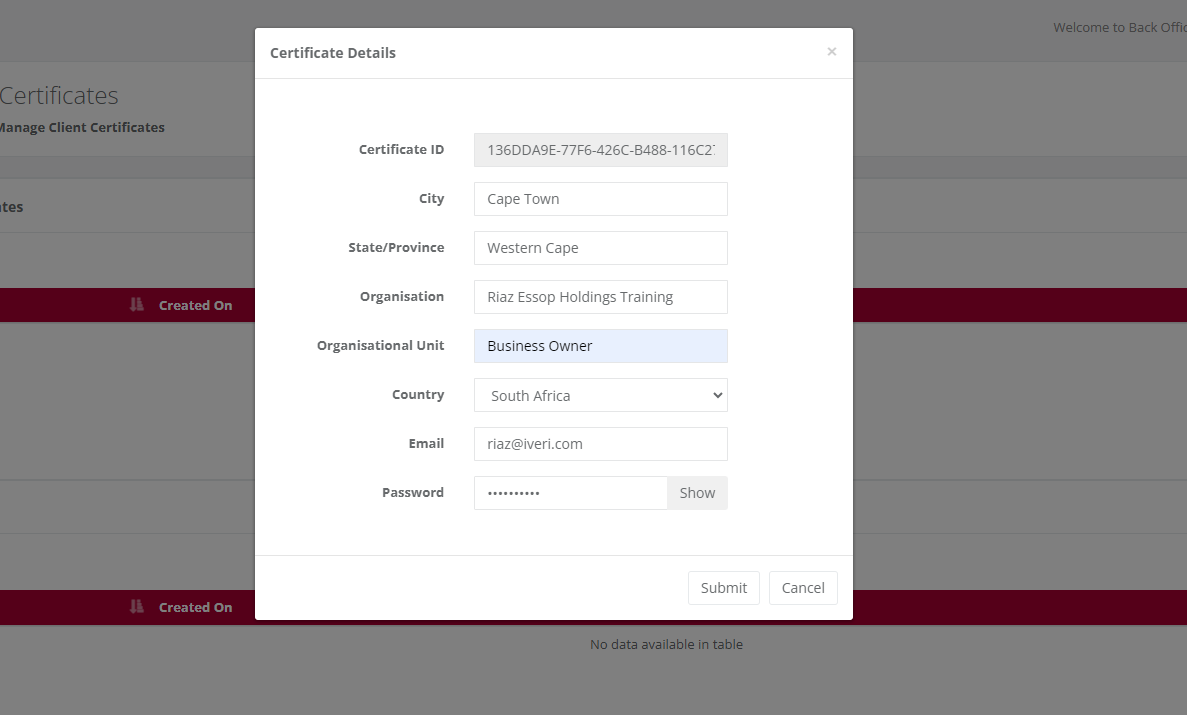
3. Download & store it securely Save the certificate and install it in your application server or API client.
4. Confirm it's active Check the certificate is correctly associated with the Application ID before sending test transactions.
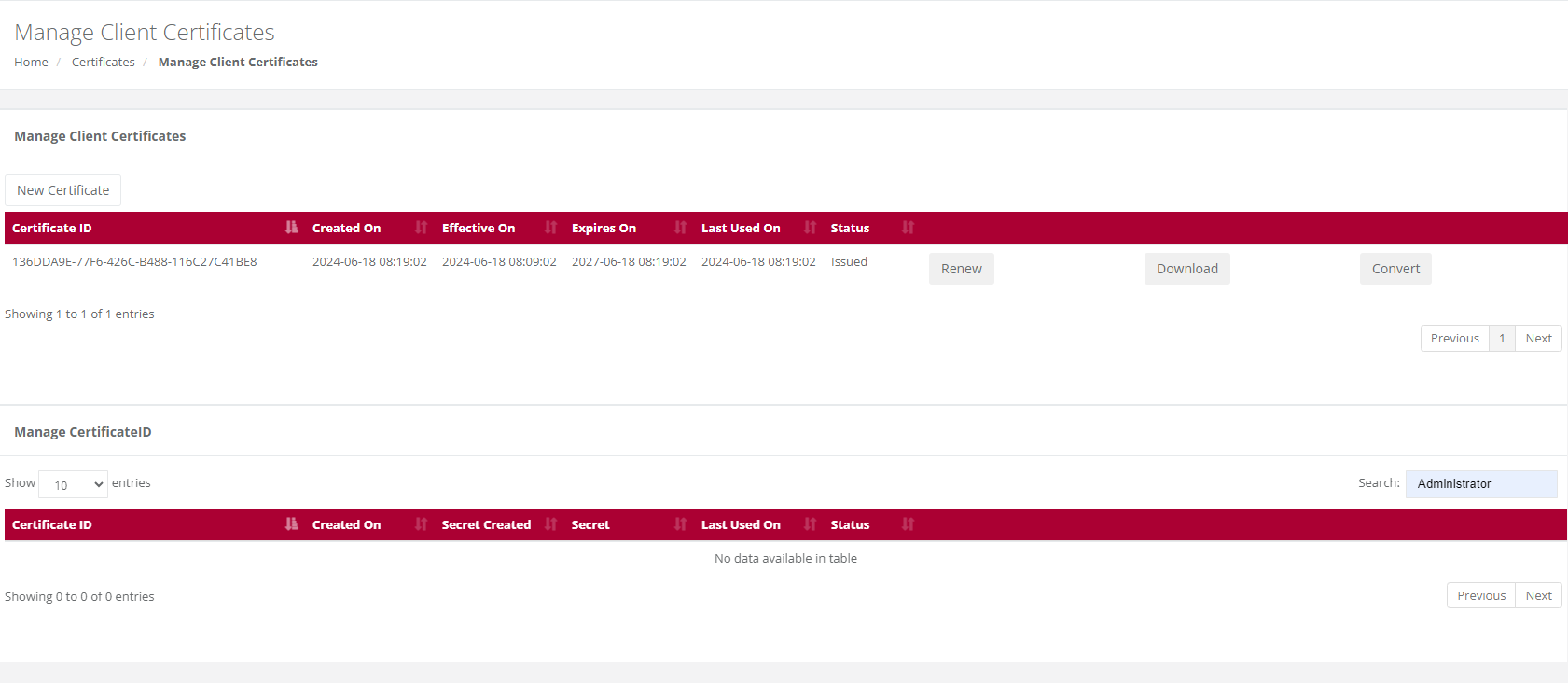
5. Repeat per environment Test and Live each need their own certificate.
Client certificates are sensitive credentials — store them securely and limit access.
Watch a detail video here
Shared secret
Digest Authentication
Uses a shared secret to sign or hash requests exchanged between your integration and the gateway.
1. Open the Merchant profile authentication, under the authentication tab In BackOffice, navigate to the shared secret section for your Application ID.
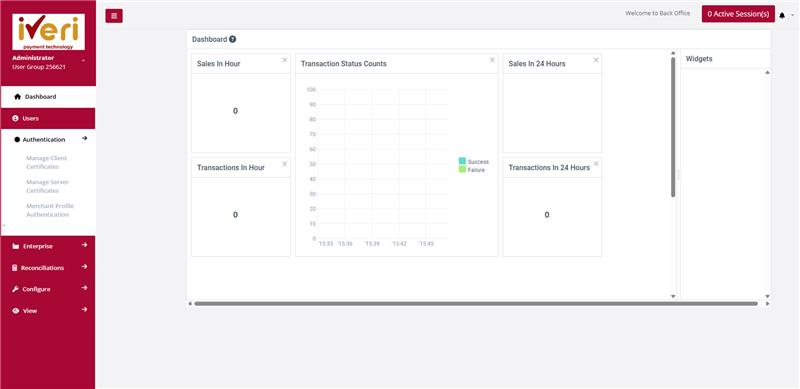
2. Generate a shared secret Create a new secret for the environment you're integrating against — Test or Live.
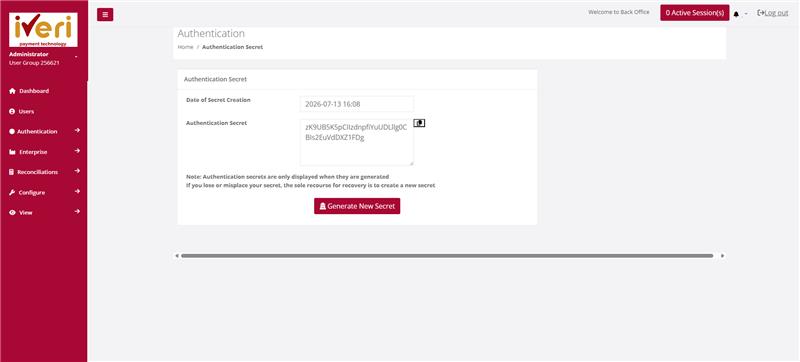
3. Store it securely Copy the secret and keep it in a safe location accessible to your integration.
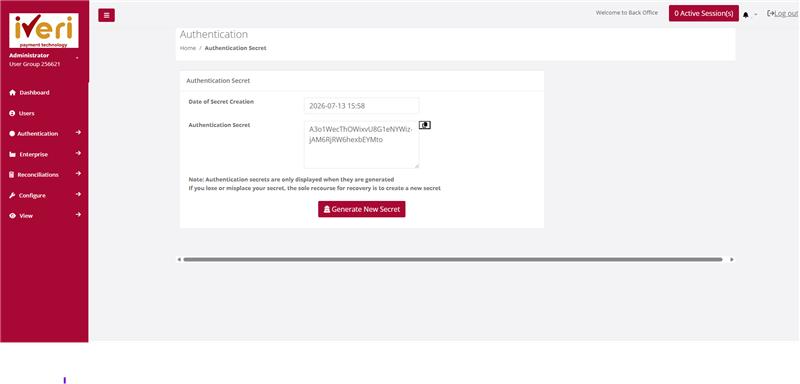
4. Configure your integration Add the shared secret to your code so outgoing requests are correctly signed.
5. Repeat per environment Test and Live each need their own shared secret.
If a shared secret is ever compromised, regenerate it immediately from BackOffice.
| Method | You generate | Typical use |
|---|---|---|
| Legacy Authentication | Client certificate | Integrations authenticating via mutual TLS / client certificate |
| Digest Authentication | Shared secret | Integrations authenticating via request signing / hashing |
FAQ
Got Questions About Enterpirse?
Can't find what you're looking for? Reach out to our support team.
Every Enterprise request needs:
|
Field |
Meaning |
|
CertificateID |
Merchant API certificate (authentication) |
|
ApplicationID |
Merchant application profile (Test or Live) |
|
Mode |
Test or Live |
|
Command |
e.g. Debit, Authorisation, Credit, Void, enquiry commands |
Public docs:
- Enterprise Developer Guide — https://www.iveri.co.za/docs/enterprise-developer-guide-58
- OpenAPI: iveriSystem/docs/openapi/iveri-enterprise-api.openapi.yaml
Endpoint: POST /api/Transactions (JSON or XML V_XML).
Minimal JSON example (from Enterprise OpenAPI DebitSaleWithPAN):
{
"Version": 2.0,
"CertificateID": "{YOUR-CERT-ID}",
"ProductType": "Enterprise",
"ProductVersion": "WebAPI",
"Direction": "Request",
"Transaction": {
"ApplicationID": "{YOUR-APP-ID}",
"Command": "Debit",
"Mode": "Test",
"MerchantReference": "SALE-001",
"Currency": "ZAR",
"Amount": 3000,
"ExpiryDate": "1027",
"PAN": "4242424242424242",
"CardSecurityCode": "123",
"Terminal": "Default",
"PANFormat": "PAN",
"CardHolderPresence": "CardNotPresent,eCommerce"
}
}
Amount is in minor units (cents): R30.00 → 3000.
Equivalent XML:
<V_XML Version="2.0" CertificateID="{YOUR-CERT-ID}" ProductType="Enterprise" ProductVersion="WebAPI" Direction="Request">
<Transaction ApplicationID="{YOUR-APP-ID}" Command="Debit" Mode="Test">
<MerchantReference>SALE-001</MerchantReference>
<Currency>ZAR</Currency>
<Amount>3000</Amount>
<ExpiryDate>1027</ExpiryDate>
<PAN>4242424242424242</PAN>
<CardSecurityCode>123</CardSecurityCode>
<Terminal>Default</Terminal>
<PANFormat>PAN</PANFormat>
</Transaction>
</V_XML>
- Application ID (Test/Live)
- Certificate ID (not the private key)
- Full request/response V_XML with PAN masked
- MerchantReference / TransactionIndex
- Timestamp (timezone)
- Expected vs actual ResultCode / AcquirerCode
- Whether failure is in 3DS enrollment or financial command
Use Enquiry TransactionStatus with the original merchant reference (OpenAPI example):
{
"Version": 2.0,
"CertificateID": "{YOUR-CERT-ID}",
"ProductType": "Enterprise",
"ProductVersion": "WebAPI",
"Direction": "Request",
"Enquiry": {
"ApplicationID": "{YOUR-APP-ID}",
"Command": "TransactionStatus",
"Mode": "Test",
"OriginalMerchantReference": "ORD-1001"
}
}
You can also verify in Back Office using MID + date/time + card first/last 4.
Each merchant profile typically has:
|
|
Test Application ID |
Live Application ID |
|
Mode |
Mode=Test |
Mode=Live |
|
Purpose |
Integration / UAT |
Production traffic |
|
Settlement |
No real funds |
Real acquiring settlement |
Always complete required testing before asking for Live migration. Profiles still in Created status usually mean testing is incomplete and Live is not ready.
In V_XML / Enterprise API every transaction must include your ApplicationID:
<V_XML Version="2.0" CertificateID="{YOUR-CERT-ID}" ProductType="Enterprise" Direction="Request">
<Transaction ApplicationID="{YOUR-APP-ID}" Command="Debit" Mode="Test">
<!-- ... -->
</Transaction>
</V_XML>
Example from resolved NightsBridge-style cases: open the acquiring merchant account first, then ask iVeri to connect Application IDs / certificates for that platform.
Provide:
- Whether you already have a merchant profile / MID
- Platform name
- Country