Lite
Simple online payments, made easy.
Everything you need to get started with iVeri Lite. Follow our simple guides to set up your account, configure your payment options and start accepting secure online payments.
Getting started with Lite
Three steps before you can process your first payment. Lite captures card details directly on your own payment page, so setup covers what's collected as well as how it looks — follow these in order.
Do this before processing anything. It's where email confirmations, security, and (if you're using Lite Fund Me) your return URLs are set up per application.
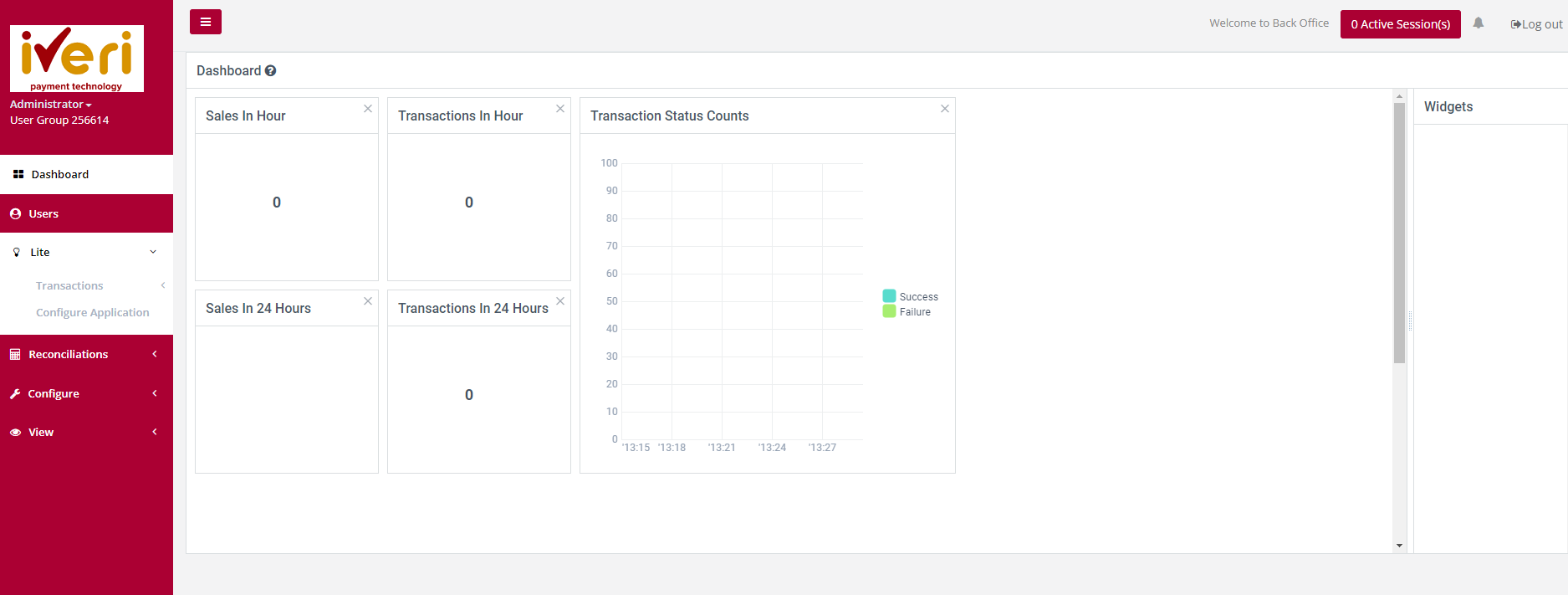
Lite → Configure Application
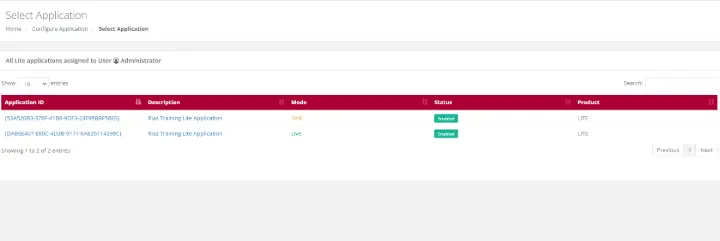
1. From the main menu, open Lite → Configure Application and select the application you're setting up — Test or Live.
2. Choose whether cardholders and/or merchants receive email confirmations, and set the send-to / send-from addresses.
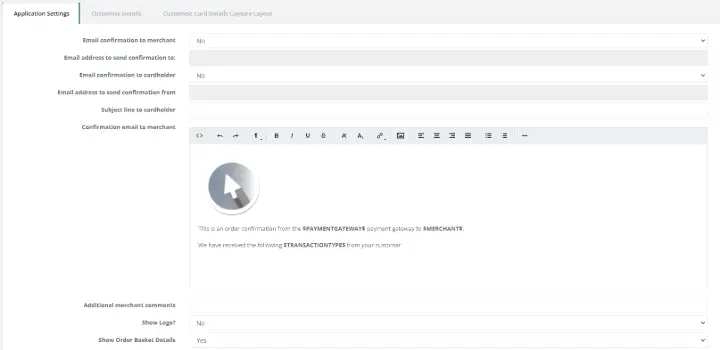
3. Edit the wording on the payment page and payment request email. Leave anything between $ $ signs untouched — it's filled in automatically per transaction.
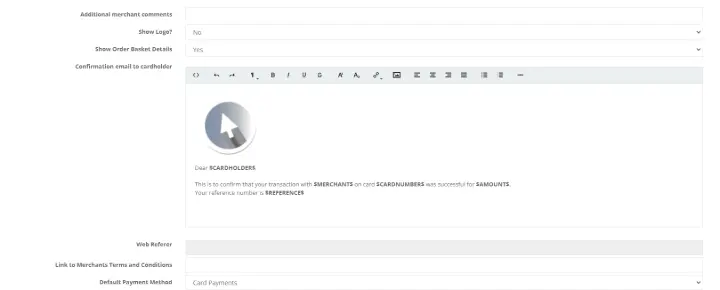
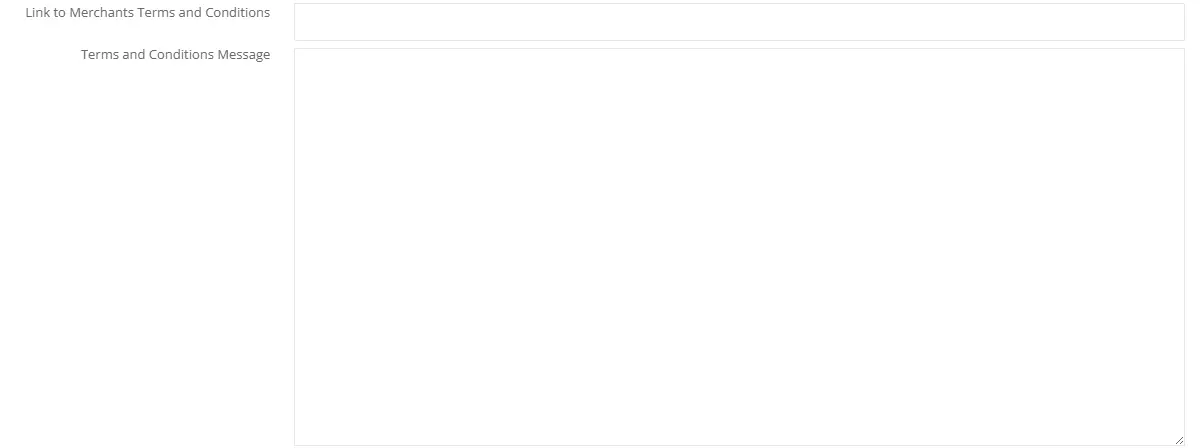
4. Add your Terms & Conditions — a link, or typed-out text — for the cardholder to accept before paying.
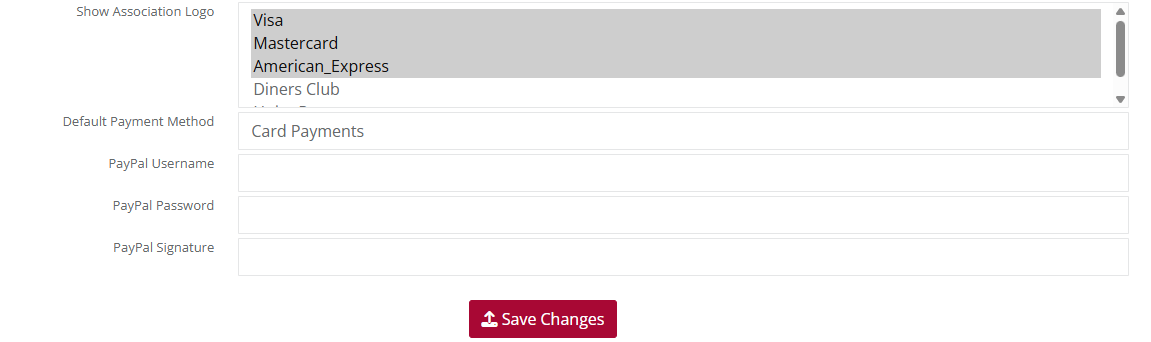
5. Choose which card association logos to show, and a default payment method if you accept more than one.
6. Click Save Changes (or Submit, depending on the section).
If you're integrating directly (Full Redirect / LiteBox)
1. Turn on Enable Token Verification and set a Lite Shared Secret (up to 32 alphanumeric characters) — this is what protects transaction data passed between your system and the gateway.

2. Generate the matching token on your own web server and pass it with each transaction request.
3. Click Save Changes (or Submit, depending on the section).
If you're using a fixed link (Lite Fund Me)
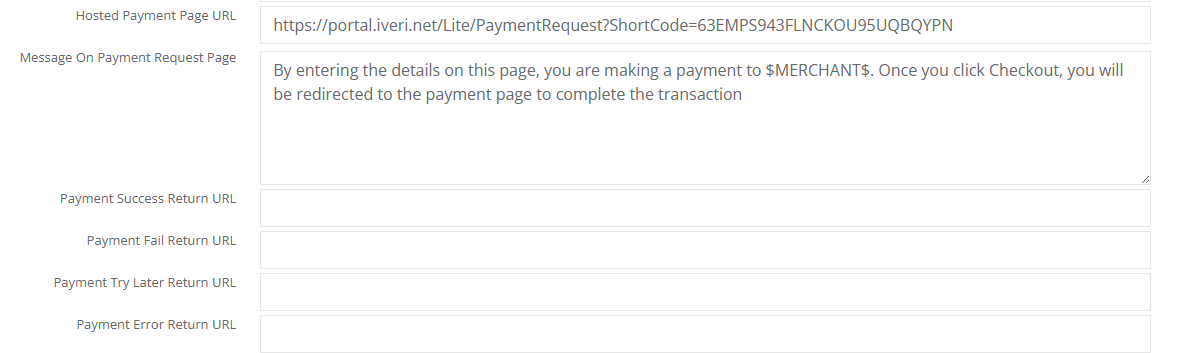
1. Set the Success, Fail, Try Later, and Error return URLs — all four are required, on your own domain.
2. Customise the message shown below your logo on the fixed payment page.
3. Click Save Changes (or Submit, depending on the section).
Don't skip this: if you're using Lite Fund Me, the fixed payment page won't open at all until all four return URLs are configured.
Two things to set here: which fields cardholders actually see and fill in, and how the page looks — your logo, colours, and fonts.
Lite → Configure Application → select Application ID
Customise details
- Open the Customise Details tab for your application.
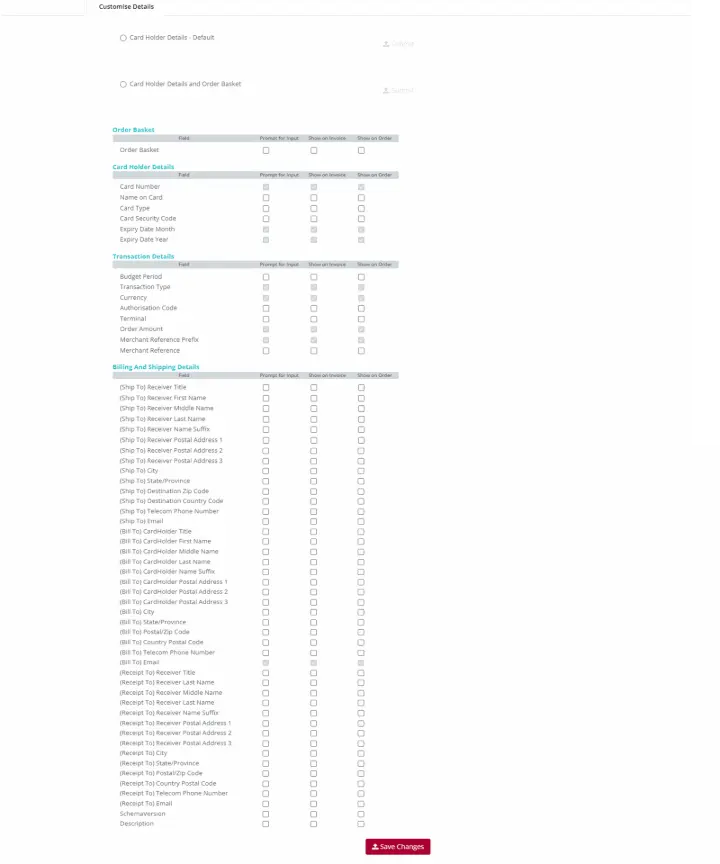
- Go through the four field groups — Order Basket, Cardholder Details, Transaction Details, and Billing & Shipping Details.
- For each field, decide whether it prompts the cardholder for input, appears on the invoice, and/or shows in the order details. Fields that are ticked and greyed out are mandatory and can't be changed.
Customise card details capture layout
- Open the Customise Card Details Capture Layout tab — this is the branding preview of the page cardholders will see.
- Upload your logo (JPEG or PNG).
- Expand Style and set font colour, font type, form top/bottom background, page background, and button colour — using the colour spectrum, RGB values, or a hex code.
- Click the on the payment page and it will update.
- Click Save Changes.
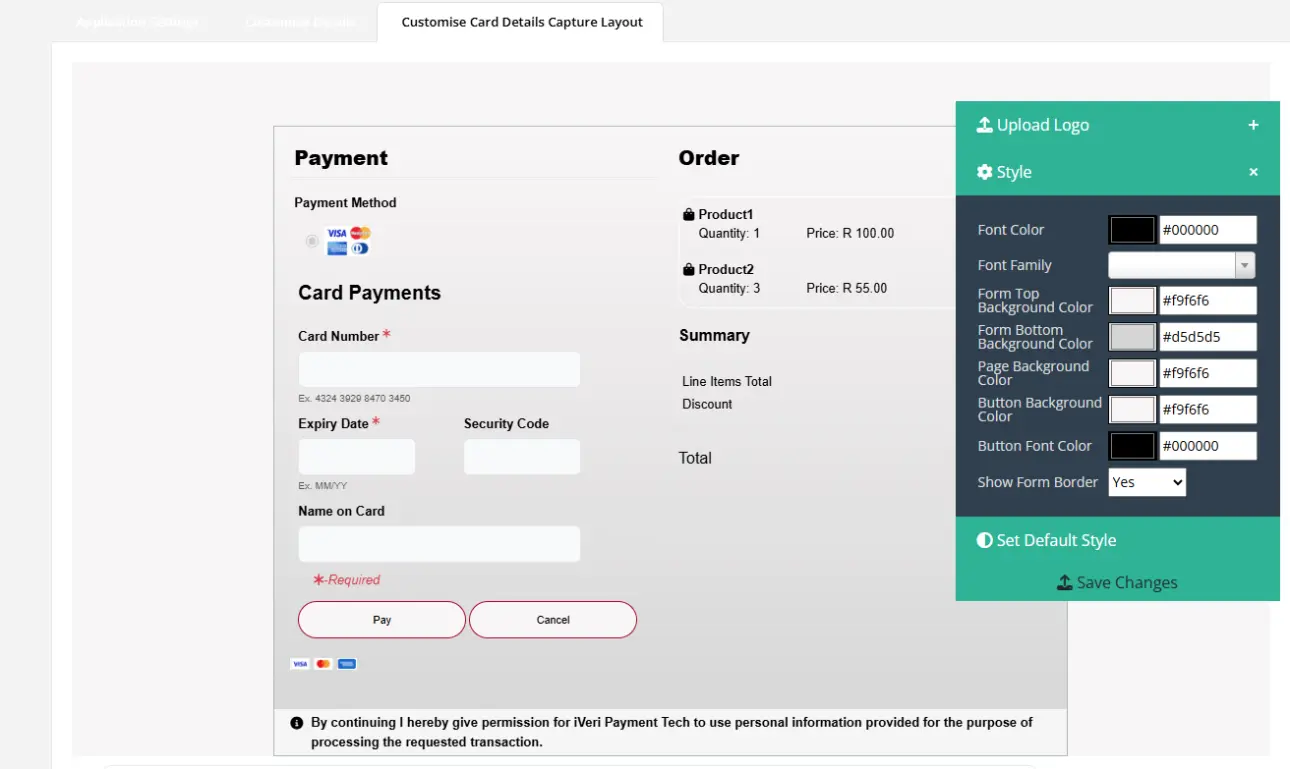
Tip: if you don't click the colour wheel before saving, that colour reverts to its default — confirm each one before moving to the next. Use Set Default Style anytime to start over.
FAQ
Got Questions About Lite?
Can't find what you're looking for? Reach out to our support team.
| Product |
Typical use |
|
Enterprise |
Direct API / Back Office / integrators |
|
Lite |
Hosted payment pages, payment requests, eCommerce-style flows |
|
Divert |
Hosted / hospitality divert channels; subsequent refunds often need explicit enablement |
Subsequent transactions (refund/capture-style follow-ups) are available in Merchant Admin for Lite and Divert once the profile allows them.
Payment Link is a Merchant Admin product that creates payable links; Lite also has PaymentRequest entry points that redirect into Authorise.
Platform plugins still need:
1. Acquiring merchant account
2. iVeri Application ID(s) + Certificate ID
3. Correct Live/Test mode in plugin settings
4. 3DS configuration if required by the acquirer
Share gateway logs / Merchant
Reference from a failing checkout when contacting support — not only the
storefront error toast
Not every Lite/Divert profile can run subsequent refunds/credits until explicitly enabled. Resolved tickets show support asking for acquiring approval for credits, then confirming the merchant can refund via the subsequent refund flow against an original debit.
When requesting enablement, provide:
- Merchant number / profile ID
- Product (Lite or Divert)
Whether you need refunds only, or other subsequent
commands too
Support routinely shares product take-on packs for:
- Batch
- Divert
- Lite
Ask assist@iveri.com for the current take-on process for your product. For Enterprise day-to-day admin, use the Enterprise Back Office User Guide. For API integration, use the Enterprise Developer Guide and OpenAPI examples.