Enabling MOTO transactions for a merchant
Below is the process of how to enable MOTO transactions for a merchant on the Admin Website:
Navigation Path:
Applications > Update > Provider Specific.
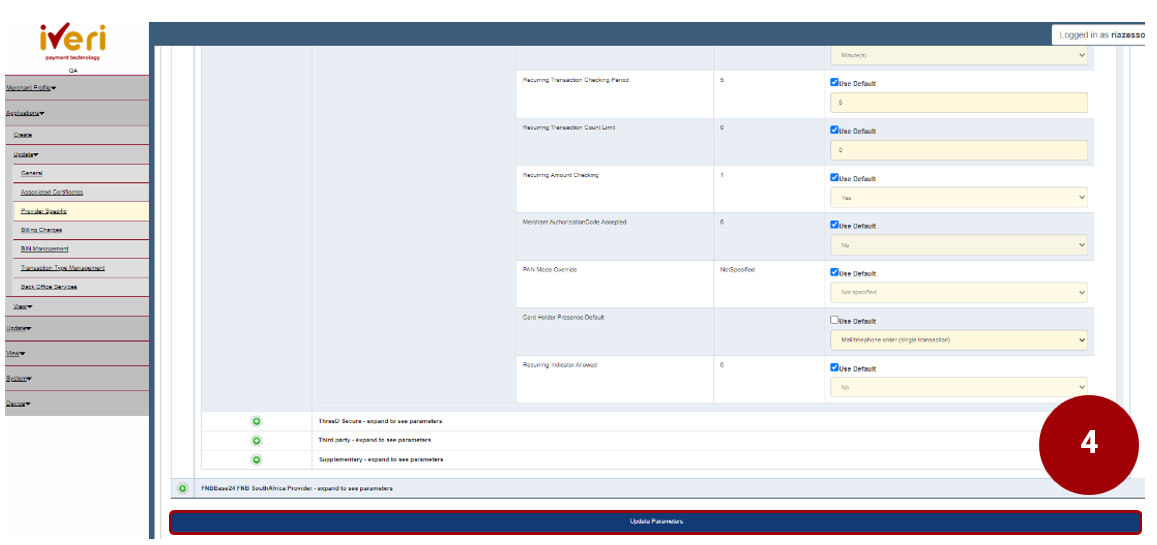
Click on the ‘Common Provider’ expansion tab as illustrated.
1. Navigate to the ‘Processing’ parameter and click on the expansion button.
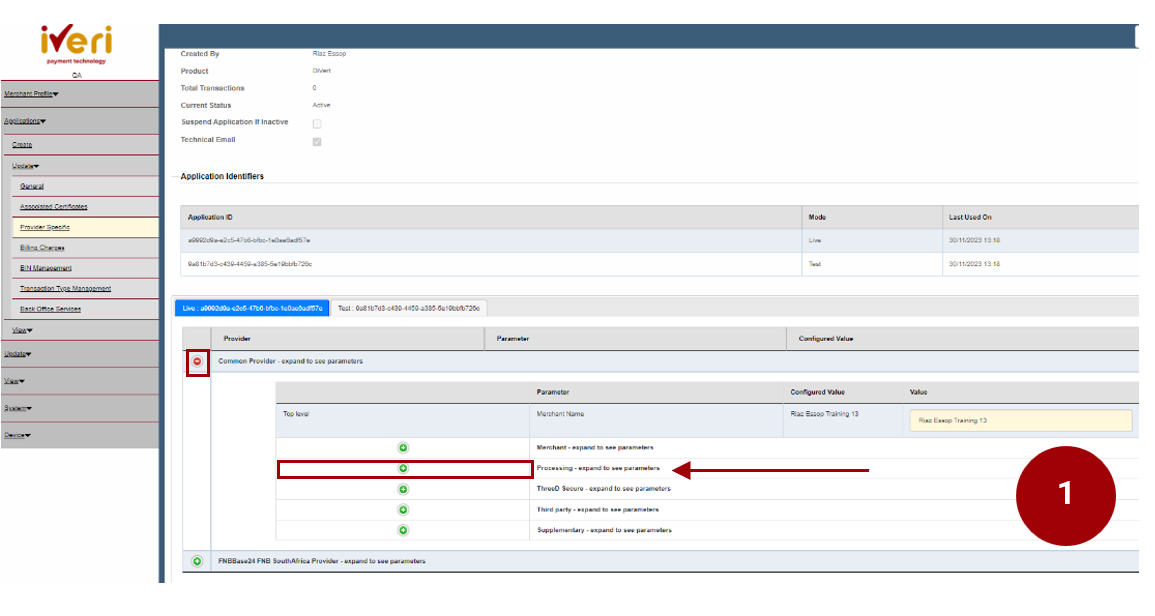
2. Navigate your way to the ‘Cardholder Presence Default’ Parameter. This parameter will be defaulted to ‘Not specified’.
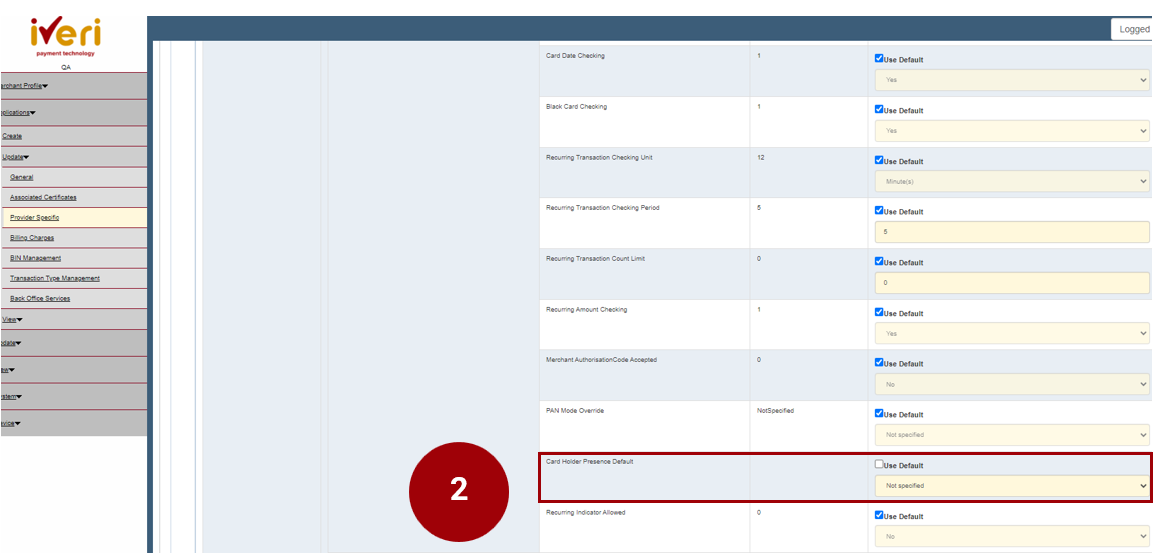
3. Untick the ‘Use Default’ tab. From the drop down, select ‘Mail/Telephone Order (single transaction)’.
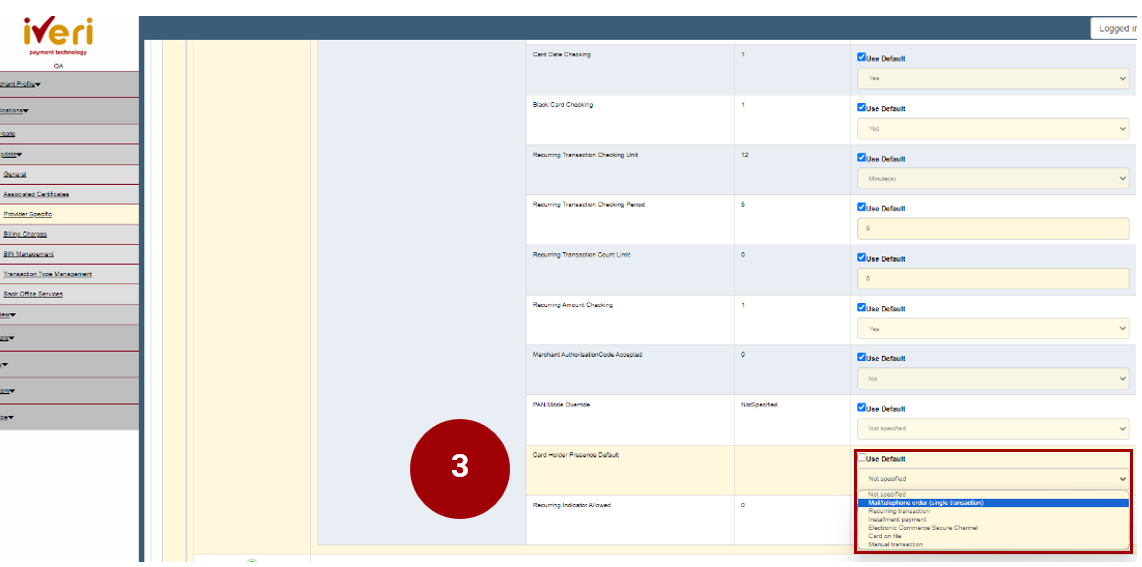
4. Lastly, to ensure the change has been saved, click on the ‘Update Parameters’ tab.