Enabling recurring transactions for a merchant
Merchants that process recurring transactions need to be enabled as such via the Admin Portal.
In the authorization message that is sent to the Acquirer, as part of the transaction process, there is specific data that indicates that a transaction is recurring, and the merchant has been enabled for recurring transactions.
We will have a look at how to enable a merchant for recurring transactions via the Administration Website:
Navigation Path:
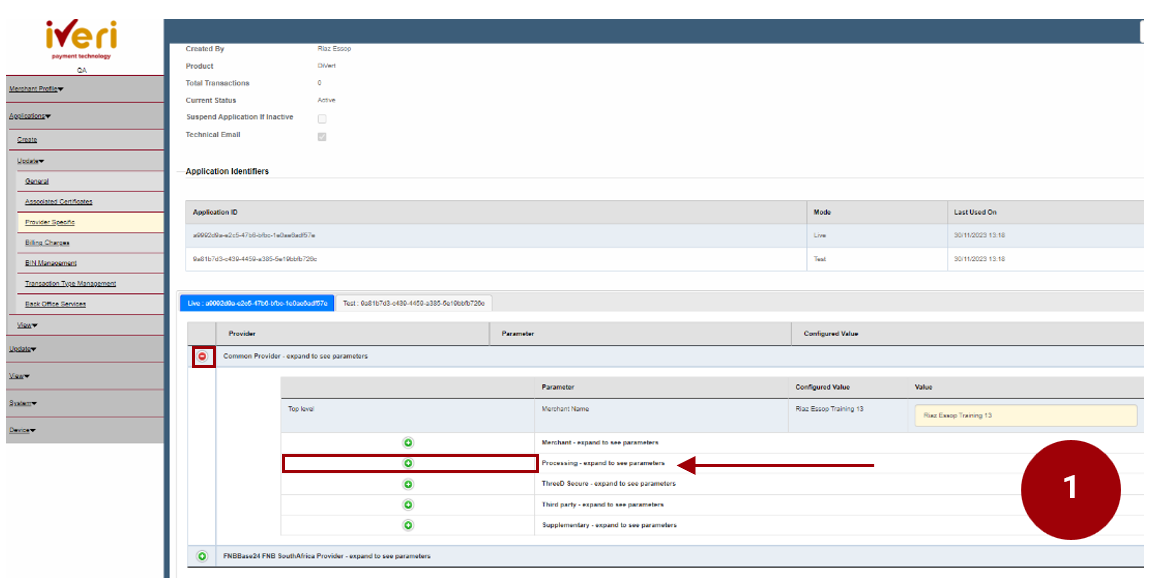
Applications > Update > Provider Specific.
Click on the ‘Common Provider’ expansion tab as illustrated.
1. Navigate to the ‘Processing’ parameter and click on the expansion button.
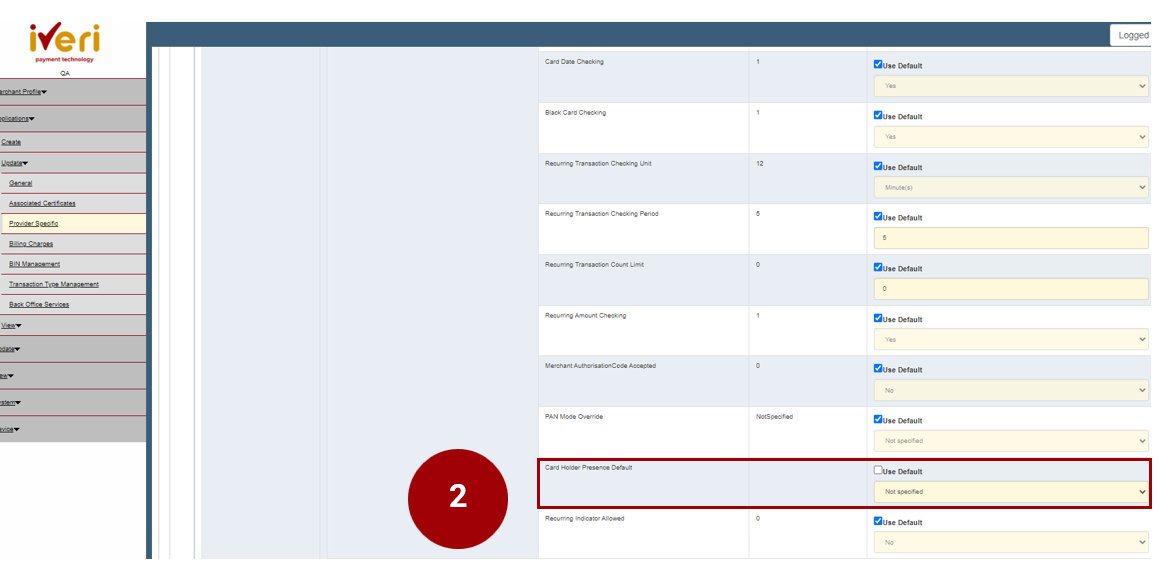
2. Navigate your way to the ‘Cardholder Presence Default’ Parameter. This parameter will be defaulted to ‘Not specified’.
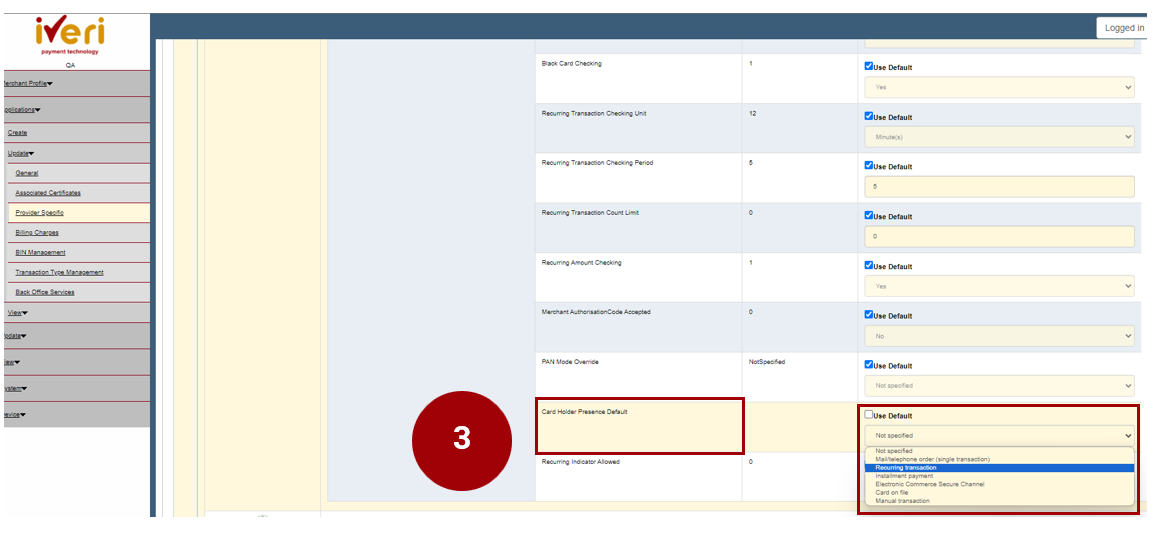
3. Untick the ‘Use Default’ tab. From the drop down, select ‘Recurring Transaction.’
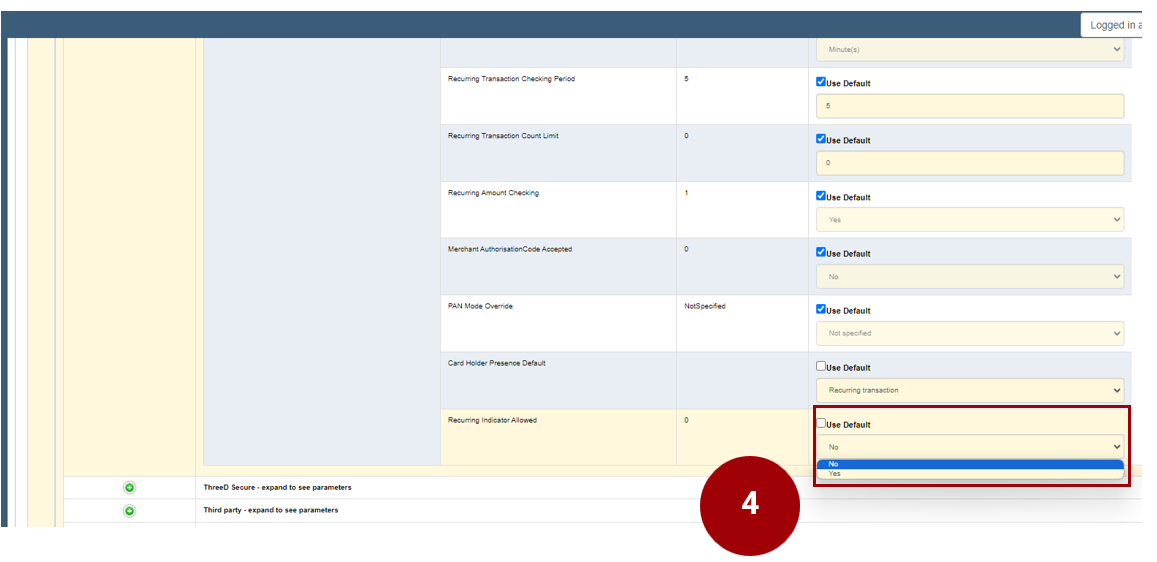
4. The next parameter that needs to be update is the ‘Recurring Indicator allowed’.
The parameter is defaulted to ‘No’.
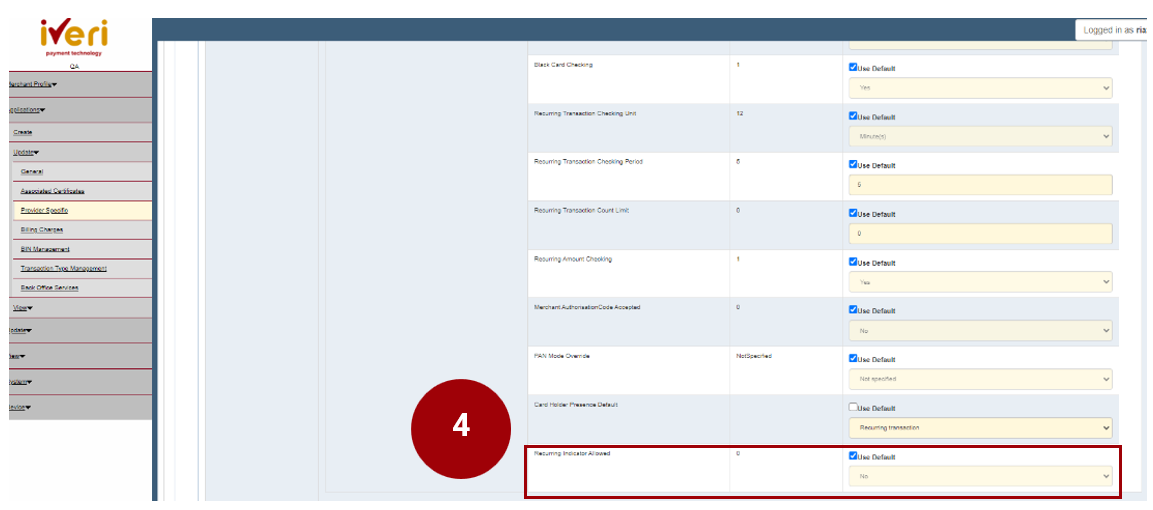
4. Untick the default value. From the dropdown menu, select ‘Yes’.
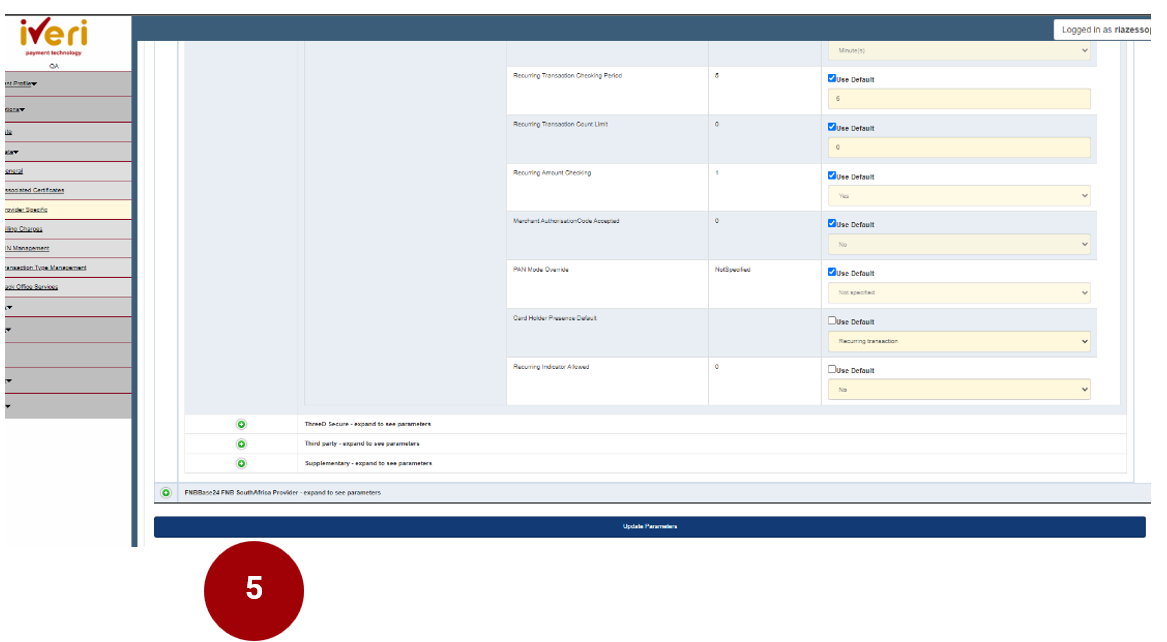
5. Lastly, navigate to the ‘Update Parameters’ tab to save changes.